

Tracking macros can feel like a daunting task. After all, measuring the macronutrients in your foods and meals isn’t intuitive. Macro tracking apps can help you break down the nutrition in foods and meals, making it easier to hit your macro goals. But even the best apps can be overwhelming, especially at first. No one wants to spend hours entering their meals into a digital food diary. Instead, you want an app that quickly breaks down nutrition and helps you stay on track with your dietary goals so you can get back to living your life. In this guide, we’ll help you find the best free macro tracking app to effortlessly maintain a healthy diet by using a free macro tracking app that simplifies nutrition, enables you to hit your goals, and removes the guesswork from eating well. So, How Are Calories Measured?
Goldi AI’s calorie tracker is a valuable tool to help you achieve your objectives. This easy-to-use app enables you to hit your macro goals quickly and efficiently to return to living your life.
Why Use an App to Track Your Macros?

Tracking macros helps eliminate the guesswork of trying to eat better. Instead of simply counting calories, a macro diet focuses on balancing the specific nutrients in your food. This helps you improve your nutrition and achieve goals like:
- Weight loss
- Muscle gain
- Improved athletic performance
Tracking macros can also help you identify patterns in your diet so you can adjust your intake for better results. It’s like having a nutrition coach in your pocket, keeping you accountable and on track.
Tracking Macros with an App Simplifies the Process
If you’ve ever tried to keep a food diary or journal, you’ll know how difficult it can be to monitor a meal’s macros, mainly if it has numerous ingredients. Sure, it’s easy to say a chicken breast has X grams of protein, but it can become a bit complex when you start looking at different portion sizes and adding simple ingredients like flour.
Best Free Macro Tracking App for Your Goals
To overcome this, many tracking apps will already have meals set up or will at least let you add ingredients and do all the calculations. Either way, tracking macros is a perfect use case for why you might want an app to do the hard work for you.
With the right macro tracking app, you can consistently ensure you’re hitting your protein, carb, and fat goals, which is key for achieving your weight loss, muscle gain, or body composition targets. Plus, tracking macros can help you identify patterns in your diet and adjust for better results.
Getting Started With Tracking Macros
Tracking macros using an app can initially seem daunting, but it’s a simple way to stay on top of your nutritional goals. With their help, you can log meals, scan barcodes, and watch your progress from your smartphone. Calculate your daily calorie needs based on age, weight, height, gender, and activity level.
Find Your Ideal Macro Ratio & Track with Ease
You can use online macro calculators or consult a nutritionist. Determine the percentage of calories that should come from carbs, proteins, and fats. Common ratios include 40% carbs, 30% protein, and 30% fat, but this can vary depending on your goals (e.g., muscle gain, fat loss, or specific diets like Keto).
Then, choose the best free macro tracking app from the list below. You can try several options until you like one. Create an account and enter your details. Use the app’s search feature to find the foods you eat. Most apps have a vast database of branded and generic foods.
Log, Track, and Optimize Your Macros
For homemade meals, you may need to input ingredients and their portion sizes manually. As you log each food item, the app will automatically calculate how much of each macro (carbs, protein, fat) you’ve consumed. Most macro counting apps provide a visual breakdown (e.g., pie charts or progress bars) to show how close you are to hitting your daily targets.
Check your macro and calorie intake throughout the week. Based on your progress, you can tweak your goals as needed. This is enough to get you started, but if you want to use advanced features, try looking for open-source material in the app’s community or contact support.
15 Best Free Macro Tracking Apps to Simplify Your Diet & Nutrition
1. Goldi AI: The Future of Calorie Tracking
Calorie tracking can be tedious, especially if you do it manually. Fortunately, Goldi AI is a revolutionary app that transforms calorie tracking with cutting-edge AI technology. Just snap a photo of your meal, and Goldi AI does the rest. Goldi AI combines your phone’s depth sensor with advanced AI models to:
- Analyze food volume
- Identify individual ingredients
- Instantly calculate calories, protein, carbs, and fat content
AI-Powered Nutrition
With 90 percent accuracy on visible foods and multiple tracking options, Goldi AI makes nutrition tracking effortless. Gone are the days of tedious manual logging in calorie tracking apps. Whether scanning a full meal or a quick snack, Goldi AI gives you accurate nutritional information in under 15 seconds.
The AI learns from your feedback, continuously improving its accuracy. Stay on track with personalized insights and brilliant reminders. Goldi AI makes achieving your fitness goals simpler than ever. Track your calories with your camera using Goldi AI’s calorie tracker
2. MyFitnessPal: The Macro Tracking All-Star
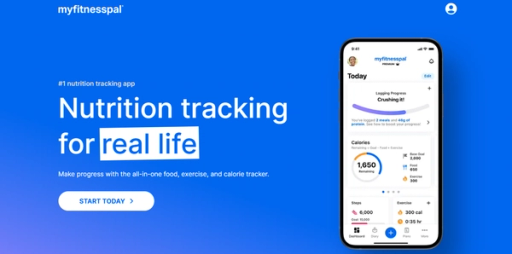
If you’re not new to calorie counting, you already know about MyFitnessPal. This all-in-one health solution has over 250 million downloads and remains a customer favorite as the best free macro tracking app. With its help, you can check calories in over 14 million foods, including restaurant dishes.
When searching for foods in the database, you can view their macronutrient (Carbs, Fats, Protein) values in grams and percentages. The Macros tab displays macros in a pie chart graphic in day view. By default, the app distributes fat, carb, and protein calories based on a percentage in five percent increments. You can customize your goals (they must add up to 100%).
Free & Premium Macro Tracking Features
The app also provides premium features. With the paid version, you can set carbs, fat, and protein by grams, not just percentages. Additionally, it allows you to define unique macro goals for each day of the week to align with your workout schedule. You can quick-log macros and calories in each meal and follow your daily progress on the dashboard.
MyFitnessPal supports Apple Watch, Fitbit, Garmin, Samsung Health, Google Fit, and over 35 more connections.
Free features include:
- Logging food and exercise
- Tracking weight, measurements, and progress
- Creating your foods, meals, and recipes
- Viewing macronutrients in grams and percentages
- Customizing calorie goals and macronutrient goals by percentage
- Sharing your diary with others and printing it from the website
3. Cronometer: The Micronutrient Macro Tracker
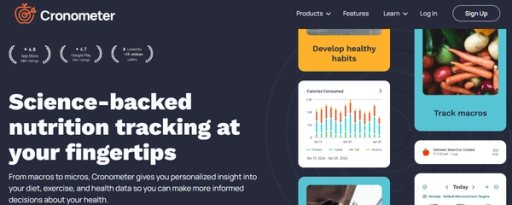
Cronometer is another macronutrient tracker favored by over 10 million users. It provides detailed information on 82 micronutrients, including all the essential vitamins and minerals for weight loss or bodybuilding.
Cronometer stands out from other alternatives by being the best free macro tracking app with a scanner for all users. With their barcode reader, you can quickly match products to the correct items in the database.
Accurate Macro & Micronutrient Tracking
We love that all food items in Cronometer come from laboratory-analyzed sources like the USDA and NCCDB or are verified by a staff member. This means you won’t need to choose between multiple entries for the same product. Additionally, all macro and micronutrient targets in the app are customizable.
Cronometer syncs with Apple Health, Health Connect, Samsung Health, Google Fit, and Strava. You can also connect Fitbit, Garmin, Suunto watches, Oura Ring, WHOOP, Withings scales, Keto Mojo, Biosense, or Qardio devices.
Cronometer’s free features include:
- Access to over 1.1 million verified foods in the database
- An organized Diary screen
- Detailed Macro and Micronutrient tracking
- Barcode scanner
- The ability to log exercise and biometrics like:
- Weight
- Sleep
- Heart rate
- A 7-day nutrition report
- Customizable macro and micronutrient targets
- The ability to create custom recipes
4. Carb Manager: The Best Keto Macro Tracker
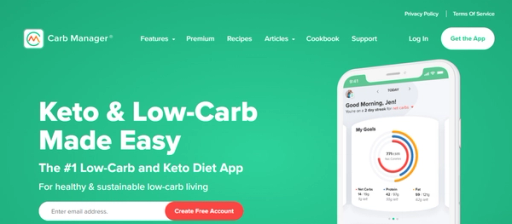
Carb Manager is the best app for tracking macros and net carbs, with a free barcode scanner, thousands of Keto recipes, and an intermittent fasting tracker. With 15 million downloads and an average 4.8 rating in the app store, it’s a popular choice for those following low-carb diets.
To start, enter your height, current weight, and goals, and Carb Manager will calculate your daily calorie, carb, fat, and protein targets. The app has an intuitive and user-friendly food-logging system.
Track Macros, Net Carbs & More
One standout feature is the Visual “Snap,” which logs everything in an image for you (unlimited daily Snap available only with Premium). Paid users also have access to Voice Logging, where you can say,_ “Hey Carb Manager,”_ and tell it what you ate to track your macros effortlessly.
In the premium version, you can track additional metrics, such as sugars, fiber, specific fats, cholesterol, vitamins, minerals, and carbs for diabetes management. You can also set macro goals for any diet.
Carb Manager free features include:
- Macro calculator app, including net carbs
- Calorie tracker
- Food logging with a 1M+ item database
- Exercise and workout logging, including:
- Cardio
- Weight training
- Weight loss and BMI tracking with charts
- Database of free, member-submitted recipes
5. Lose It!: The Best Beginner Macro Tracker
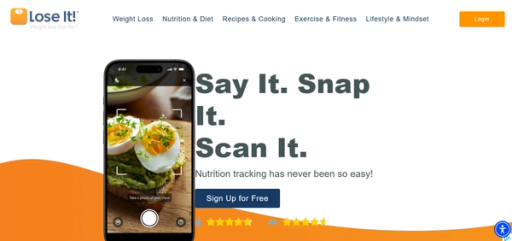
Lose It! is a calorie and nutrition-counting tool with over 3.4 million monthly active users. It combines a 50+ million searchable foods database with 25 macronutrients and health goals. With its simple and intuitive design, many users consider it the best macro tracking app for beginners.
With Lose It!, you can track calories, macros, proteins, water, carbs, sugars, body measurements, and even sleep cycles. The app allows you to set basic goals, log food from the database, create your own, and stay within your calorie budget. The free version is limited, and users must upgrade to premium for advanced nutrient tracking.
Lose It! free features include:
- A personalized weight loss plan
- Logging with personalized search rankings
- Syncing health apps and tracking exercise
- Adding friends and joining groups
6. Lifesum: The Macro Tracker with Diet Plans

Lifesum is a free macro tracker (protein, carbs, and fats) and calorie counter app. When you create a basic account, the tool provides daily nutritional recommendations tailored to your goals and metrics. You can search for food in the database and categorize it as breakfast, lunch, dinner, or snack.
Lifesum automatically calculates the nutrients you consume.
The app also includes a Life Score feature. Here, you can indicate your food preferences (e.g., vegetarian, vegan) and any allergies.
Lifesum’s free version offers a limited set of features that allow to:
- Track food, calories, and macros (protein, carbs, and fats)
- Access a food database with detailed nutritional information
- Use a barcode scanner for quick food logging
- Track body measurements (with limitations)
- Connect to fitness trackers
- View limited statistics on daily dietary intake
7. Fitbit: The Best Macro Tracker for Fitbit Users
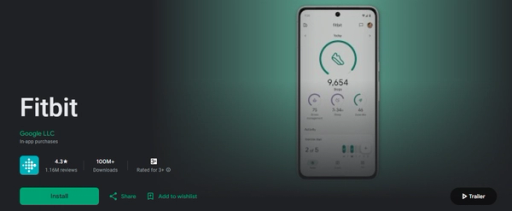
Fitbit’s mobile app is an excellent choice for those actively using Fitbit trackers and anyone searching for the best free macro tracking app. The technology works well for brand users and non-users alike. Select the “Just use the app” option when registering if you don’t have a Fitbit device.
You can log meals, track exercises, and record steps with Fitbit. If you’ve been logging food, the app provides a breakdown of your macro intake over the past week, automatically dividing it into carbs, fat, and proteins.
Fitbit offers the following free features:
- Track steps and distance
- Set goals and track progress with achievements
- Heart rate tracking, Active Zone Minutes, and Sleep Score (available with a tracker or smartwatch)
- Nutrition and water tracking
- Audio sessions for meditation and breathing exercises
- Menstrual health, weight, and glucose tracking
- Access to a list of fulfilling recipes (preview only)
8. FoodNoms: The Best Secure Macro Tracker
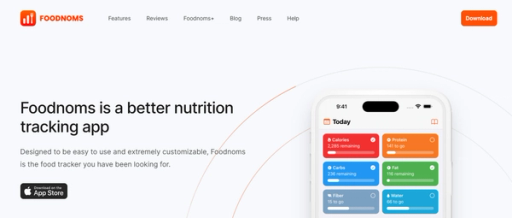
FoodNoms ranks as one of the best free calorie and macro trackers with encrypted iCloud sync. User data syncs securely via your iCloud account and integrates with Apple Health.
You can scan barcodes for free, with the database containing over 450K branded products and an 85% match rate in the United States. You can also scan nutrition labels if a food item doesn’t exist in the database.
Free Macro Tracker with Detailed Insights
Users can set specific nutrition goals to lose or gain weight or improve their health. FoodNoms’ standout features include the detailed nutritional breakdown when logging food, covering lipids, carbohydrates, minerals, and vitamins. It offers much more detailed insights compared to many other macro-counting apps.
FoodNoms also has some other free features:
- Calorie and macro tracking
- Barcode scanning
- Full database access
- Recipes and meals
- Apple Health export
- CSV export
- Basic notifications
9. MyNetDiary: The Best Macro Tracker for Weight Loss
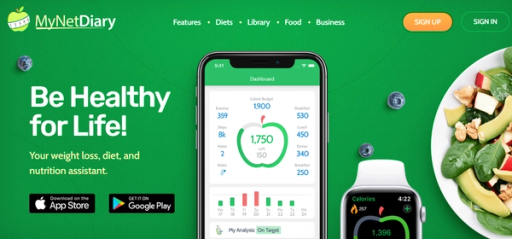
MyNetDiary is widely regarded as the best free macro-tracking app for weight loss, with a database of over 1,660,000 verified foods and up to 108 nutrients. The app lets you log foods, create meals, and add favorites.
You can track calories, total fat, carbs, protein, saturated fat, trans fat, sodium, dietary fiber, and calcium. The app also provides notifications for your next meal, weigh-ins, and other reminders.
MyNetDiary free features include:
- Food tracking (calories, fats, carbs, protein, etc.)
- Exercise tracking
- A weight chart for one month
- The ability to set targets for date, weight, weekly rate, and calorie budget
10. MacrosFirst: The Best Free Macro Calculator
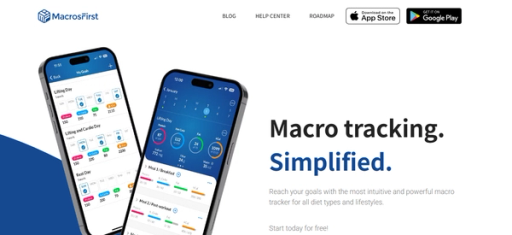
MacrosFirst is an expert-approved best macro calculator that allows users to create custom daily goals and unlimited personalized meals for free. The app auto-calculates serving sizes using a simple two-step food logging method.
MacrosFirst offers a database of over 5 million meals and a free barcode or smart label scanner. One standout feature is the ability to schedule different meals and goals for each day of the week, making it ideal for those with specific training plans.
Free Macro Tracker with Custom Goals
MacrosFirst integrates with Apple Health, Health Connect, Seismic, Google Sheets, Apotheo, Terra, Coach Catalyst, and Fit Coach Pro, providing a wide range of connectivity options.
MacrosFirst’s free features include:
- Custom daily macro goals
- Unlimited custom daily meals
- A database of over 5 million food items
- Free barcode and smart label scanner
11. Trifecta: The Macro Tracker That Comes with Meals
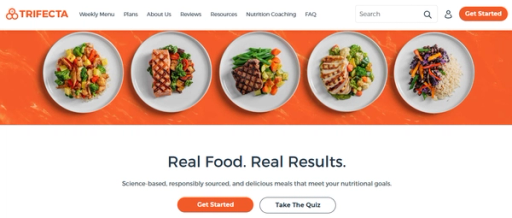
Trifecta is a ready-to-eat meal delivery service that combines nutrition-focused meals with one of the best macro trackers. The company offers macro-balanced organic meals catering to Paleo, Keto, Vegan, and other preferences. Their plans provide high-protein options and healthy ingredients that make it easier to maintain a balanced diet.
Trifecta app allows users to log meals, snacks, and beverages while tracking water intake, exercises, and more. When you register, you specify goals, dietary preferences, activity level, and body metrics, and the app will tailor a plan for you.
Meal Delivery with Macro Tracking
The downside to the free version is that macros aren’t visible on the dashboard. You can still access detailed nutritional breakdowns for each food you log. Upgrading to the premium version gives you access to over 17 macro metrics. You can also start with their free macro calculator with a quick survey.
Trifecta app’s free features include:
- Water tracking
- Free barcode scanner
- Workout timers
- Logging of meals, snacks, and beverages
12. Macro Sync: The Completely Free Macro Tracker
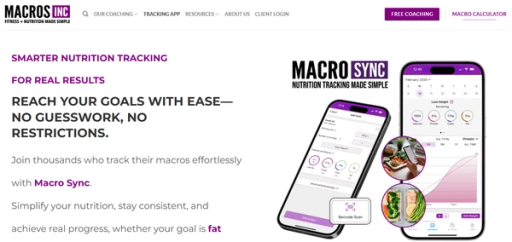
Macro Sync is an entirely free macro tracking app designed by Macros Inc.’s experts, leaders in nutrition coaching. Unlike many competitors that charge for premium features, everything in Macro Sync is free, including tools that other apps lock behind a paywall.
With Macro Sync, you gain access to verified food entries, a barcode scanner for easy tracking, and the ability to set custom goals. It’s a simple, user-friendly app that helps you track your macros, create personalized goals, and measure your progress.
Free, Feature-Rich Macro Tracker
The app is updated regularly based on user feedback, ensuring it remains responsive to the community’s needs. While it’s still growing and the database isn’t massive, Macro Sync’s development is fast-paced, with more entries regularly added.
Macro Sync offers a fantastic solution backed by a trusted name in the industry for anyone looking to level up their nutrition tracking without hidden fees.
Pros:
- Completely free with premium-level features
- Easy to use and customizable
- Integrated barcode scanner for quick tracking
- Verified entries by Macro Sync for accuracy
- Community support and constant updates
- Net carb tracking options for low-carb diets
Cons:
- The database is still expanding, but more entries are being added frequently
13. Macro Tracker – Lilbite: The Simple Macro Tracker
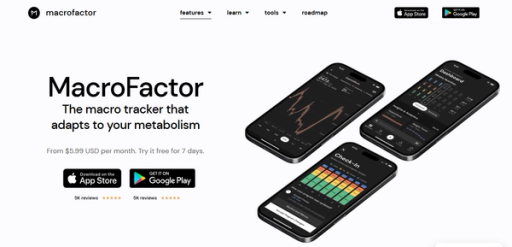
Macro Tracker – Lilbite is a user-friendly app that provides adequate calorie and macro tracking. It’s tailored for those who want a straightforward approach to diet management, focusing on macros rather than just calories. This app mainly benefits individuals aiming to cut fat, build muscle, or improve overall health through diet.
Main features:
- Easy tracking of daily calories, nutrients, and meals
- Calorie calculator for daily needs and target weight
- Custom food creation and water tracker
- Customizable calorie and water intake
- Dark Mode and no registration required
- Integration with the Health App for writing nutrition data
Pros:
- Simple interface
- Focuses on macros
- Integration with Health App
Cons:
- Full access to all features requires a premium subscription
14. Food Macro Tracker by Fittur: The Detailed Macro Tracker
Food Macro Tracker by Fittur is a comprehensive app designed to track food intake and macronutrients meticulously. It’s ideal for individuals serious about their fitness and dietary goals, offering detailed monitoring and analysis to help users stay on track with their health objectives.
Main features:
- Detailed monitoring of food intake and macronutrients
- Customizable goals for different dietary needs
- Extensive database of foods for accurate tracking
- User-friendly interface for easy logging of meals and snacks
- Analysis of dietary patterns and progress over time
Pros:
- Detailed macro tracking
- Large food database
- User-friendly
Cons:
- It may require a subscription for full feature access
Best for:
- Fitness enthusiasts and individuals with specific dietary goals who require detailed macro tracking
15. Stupid Simple Macro Tracker: The Basic Macro Tracker
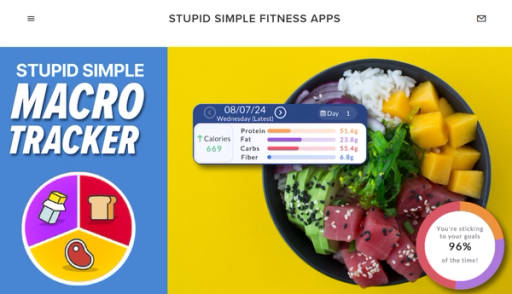
Stupid Simple Macro Tracker is designed for ease of use, enabling users to track their macronutrients efficiently. It’s ideal for those who want a straightforward approach to dieting, allowing flexibility within their macro plan. The app is handy for people looking to lose weight or build muscle through macro tracking.
Main features:
- Easy-to-use food icons for logging daily macros
- Barcode scanner with an extensive food database
- Nutrition Profiles for different daily goals
- Progress tracking with daily goal adjustment
- Workout tracking for extra macros
- Intermittent fasting support
- Food bank for managing calories for special events
- Custom food creation and meal organization
Pros:
- User-friendly interface
- Extensive food database
- Flexible diet planning
Cons:
- Some advanced features require a premium subscription
Best for:
- Individuals seeking a simple and efficient way to track macros, especially those new to macro counting
How to Choose the Best Free Macro Tracking App

A comprehensive food database is a cornerstone of any free macro tracking app. The more extensive and more accurate the database, the easier it will be to log meals and track nutritional intake.
A food library should include:
- Branded products
- Fresh produce
- Restaurant meals
- Custom recipes
Barcode Scanning: Quick Logging For Packaged Foods
A free barcode scanner is necessary for quickly logging packaged products without manual input. A good app should allow you to scan barcodes and immediately retrieve nutritional information from the database.
Some advanced apps may also offer intelligent label scanning. This feature extracts data from the nutritional label if the food item isn’t in the database.
Customizable Macro Goals: Personalization Keeps You on Track
Consider the best app to count macros with personalized goals based on your needs. It must provide plans for weight loss, muscle gain, or maintenance. Beyond setting simple calorie targets, you should be able to customize the ratio of carbs, fats, and proteins.
For users with more specialized dietary needs, some apps offer tracking for fiber, sugar, and micronutrients.
Meal Planning & Recipe Creation: Organization Is Key
Meal planning features help you organize your daily/weekly intake per your goals. Some apps offer built-in meal planning that suggests recipes based on your targets. It can also allow you to create and save your recipes for easy logging.
Integration With Fitness Devices: Syncing Keeps You Organized
An app that syncs with your fitness tracker, smartwatch, or health app will allow you to see a complete picture of your health data in one place. You can cross-reference activity levels, workouts, steps, heart rate, and sleep data with your nutritional intake.
Progress Tracking: Visual Tools Help You Stay Motivated
The best macro app should offer visual tools to monitor your progress over time. As a rule, you can view weight charts, calorie and macro trends, or detailed nutrient reports. These insights help you adjust your diet or fitness routine as needed.
Community Support: Connection Offers Motivation
Some users enjoy community features that allow them to connect with others on similar journeys. They benefit from group challenges, food diaries, or simple community recipe sharing. Access to a support network can increase motivation and offer tips from other users.
Choosing the Best Macro Tracking App
Of course, we can continue with this list. For example, some of the best free macro tracking apps can help manage specific health conditions with premium features. Here, you can find intermittent fasting trackers, blood glucose monitors, or even diabetes management tools. If these features are essential to you, it’s worth exploring what premium options offer.
Trying out free trials is a good idea to get the most value from these apps. During this period, weigh the features against the cost to determine if the upgrade is worth it. Ultimately, the goal is to select only the best macro tracking app that balances functionality and price.
Track Your Calories within Less Than 15 Seconds with Our Calorie Tracker App
Calorie tracking can be tedious, especially if you do it manually. Fortunately, Goldi AI is a revolutionary app that transforms calorie tracking with cutting-edge AI technology. Just snap a photo of your meal, and Goldi AI does the rest. Goldi AI combines your phone’s depth sensor with advanced AI models to:
- Analyze food volume
- Identify individual ingredients
- Instantly calculate calories, protein, carbs, and fat content
AI-Powered Nutrition
With 90 percent accuracy on visible foods and multiple tracking options, Goldi AI makes nutrition tracking effortless. Gone are the days of tedious manual logging in calorie tracking apps. Whether scanning a full meal or a quick snack, Goldi AI gives you accurate nutritional information in under 15 seconds.
The AI learns from your feedback, continuously improving its accuracy. Stay on track with personalized insights and brilliant reminders. Goldi AI simplifies achieving your fitness goals. Track your calories with your camera using Goldi AI’s calorie tracker.